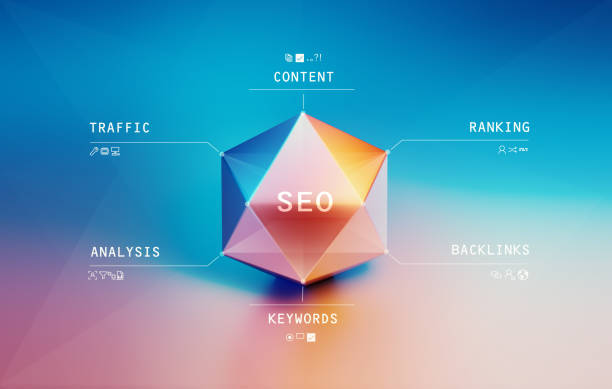
WordPress SEO Optimization for Better Website Rankings
Search engine optimization is essential for every website that wants to attract visitors and grow online visibility. WordPress is one of the most SEO-friendly website platforms, but proper optimization is still required to achieve strong rankings on search engines. This is why WordPress SEO optimization plays a major role in improving website performance, traffic, and user experience.
Modern search engines focus on website speed, mobile responsiveness, content quality, technical SEO, and user engagement. Professional WordPress SEO optimization helps businesses improve search visibility, attract targeted visitors, and increase long-term online growth.
Why WordPress SEO Optimization Matters
WordPress offers strong SEO features, but optimization improves performance significantly.
Benefits of WordPress SEO Optimization
- Better search engine rankings
- Increased organic traffic
- Faster website speed
- Improved user experience
- Higher online visibility
SEO optimization helps businesses compete effectively in digital markets.
For official SEO guidelines, visit Google Search Central India.
SEO-Friendly WordPress Structure
WordPress provides an SEO-friendly website framework.
WordPress SEO Features
- Clean URL structure
- Easy content management
- Responsive themes
- Plugin support
These features make WordPress a preferred platform for SEO-focused websites.

Keyword Optimization in WordPress SEO
Keywords help search engines understand webpage topics.
Keyword Optimization Tips
- Use keywords naturally
- Optimize page titles
- Add keywords in headings
- Improve meta descriptions
Proper keyword usage improves visibility without keyword stuffing.
Technical WordPress SEO Optimization
Technical SEO improves website performance and indexing.
Technical SEO Includes
- XML sitemap setup
- Robots.txt optimization
- HTTPS security
- Schema markup integration
Technical improvements help search engines crawl websites effectively.
Website Speed Optimization
Fast websites improve user experience and SEO rankings.
Speed Optimization Techniques
- Image compression
- Browser caching
- CDN integration
- Lightweight WordPress themes
Speed optimization is an important part of WordPress SEO optimization.
Mobile SEO and Responsive Design
Most users now browse websites on mobile devices.
Mobile SEO Features
- Responsive website layouts
- Fast mobile loading
- Mobile-friendly navigation
- Optimized touch experience
Mobile-first indexing makes mobile optimization essential.
SEO Plugins for WordPress
SEO plugins simplify website optimization.
Popular WordPress SEO Plugins
- Yoast SEO
- Rank Math
- All in One SEO
These plugins help optimize content, metadata, and technical SEO settings.
Content Optimization for SEO
High-quality content remains one of the strongest ranking factors.
Content SEO Tips
- Write informative content
- Use headings properly
- Add internal links
- Update content regularly
SEO-friendly content improves user engagement and search visibility.
Internal Linking Strategy
Internal links improve website structure and navigation.
Benefits of Internal Linking
- Better page indexing
- Improved user navigation
- Higher page authority distribution
- Increased engagement
Strong internal linking supports overall SEO performance.
For professional SEO consultation and website optimization services, visit Digitor Contact Page.
Core Web Vitals and WordPress SEO
Google uses Core Web Vitals as ranking signals.
Important Core Web Vitals
- Largest Contentful Paint (LCP)
- Interaction to Next Paint (INP)
- Cumulative Layout Shift (CLS)
Improving these metrics boosts both SEO and user experience.
Voice Search and WordPress SEO Optimization
Voice search is becoming increasingly popular.
Voice SEO Strategies
- Use conversational keywords
- Optimize FAQ sections
- Focus on long-tail keywords
- Improve local SEO
Voice optimization supports modern search trends.
Image SEO for WordPress Websites
Images help improve user experience and search visibility.
Image SEO Techniques
- Use alt text
- Compress image sizes
- Add descriptive filenames
- Optimize image loading
Image optimization improves page speed and accessibility.
Security and WordPress SEO
Secure websites perform better in search results.
Security Features Include
- SSL certificates
- Firewall protection
- Malware scanning
- Secure hosting
Security plugins like Wordfence Security help protect WordPress websites.
Local SEO for WordPress Websites
Local SEO helps businesses target nearby customers.
Local SEO Features
- Google Business Profile integration
- Local keyword optimization
- Location pages
- Customer reviews
Local optimization improves visibility in regional searches.
Common WordPress SEO Mistakes to Avoid
Businesses should avoid:
- Slow website speed
- Poor mobile optimization
- Duplicate content
- Broken links
- Keyword stuffing
Avoiding these mistakes improves SEO performance and user experience.
Why Professional WordPress SEO Optimization Matters
Professional SEO experts help businesses implement advanced optimization strategies.
Benefits of Professional SEO Services
- Better keyword targeting
- Technical SEO improvements
- Higher search rankings
- Increased organic traffic
- Long-term business growth
Experts create customized SEO plans tailored to website goals.
For SEO industry insights and updates, visit Search Engine Journal.
Conclusion
WordPress SEO optimization is essential for improving website rankings, speed, mobile performance, and organic traffic. From technical SEO and content optimization to mobile responsiveness and Core Web Vitals, every aspect contributes to stronger online visibility.
Businesses that invest in SEO optimization can achieve better search rankings, increased customer engagement, and long-term digital success.
your understanding
Best Fonts for Branding: Create a Lasting Visual Identity
SEO Content Writing: A Complete Guide for BeginnersDoes Google use Cloudflare
Content Writing Basics: A Beginner’s Guide to Effective Writing