Blog

  • Routine for WordPress Content Strategy Success

    Routine for WordPress Content Strategy Success

    Introduction

    Developing a strong WordPress documentation content strategy and reporting routine is essential for business owners and marketing managers aiming to boost their website’s performance and online presence. A clear, repeatable process helps you create content that resonates with your audience, improves SEO visibility, and drives measurable growth. This article outlines a simple yet effective routine tailored for WordPress sites, focusing on practical steps to plan, execute, and track your content strategy efficiently.

    By following this routine, you can ensure your WordPress content aligns with your business goals, attracts the right visitors, and converts them into leads or customers. We’ll cover key takeaways, a practical checklist, performance Google Analytics Help, common pitfalls, and when to consider expert help.

    Strategy Snapshot

    A successful WordPress content strategy and reporting routine involves defining clear goals, understanding your audience, planning keyword-focused content, optimizing posts for SEO, publishing consistently, and analyzing performance regularly to refine your approach.

    Key Takeaways

    • Set clear objectives: Align content goals with business outcomes like lead generation or brand awareness.
    • Know your audience: Use data and personas to tailor content topics and tone.
    • Keyword research: Focus on relevant keywords for WordPress content strategy and reporting to improve search visibility.
    • Content calendar: Plan posts to maintain consistency and cover diverse topics.
    • On-page SEO: Optimize titles, meta descriptions, and internal links to boost rankings.
    • Use reporting tools: Leverage Google Analytics, Google Search Console, and WordPress plugins for performance insights.
    • Regular review: Adjust your strategy based on data to improve results over time.

    Step-by-Step WordPress Content Strategy Routine

    1. Define Your Content Goals

    Start by identifying what you want your WordPress content to achieve. Are you aiming to increase organic traffic, generate leads, promote services, or improve brand authority? Clear goals guide your content topics, format, and distribution channels.

    2. Understand Your Audience

    Create audience personas reflecting your typical customers or clients. Consider their needs, pain points, and search behavior. This understanding helps you craft content that addresses their questions and interests.

    3. Conduct Keyword Research

    Use tools like Google Keyword Planner, SEMrush, or Ahrefs to find keywords related to WordPress content strategy and reporting. Focus on terms with good search volume and attainable competition. Incorporate these keywords naturally into your content.

    4. Plan Your Content Calendar

    Organize your topics into a calendar that schedules regular publishing. Balance evergreen content with timely posts addressing current trends or updates in WordPress development and SEO. Beginner Guide to a WordPress Website Redesign Checklist can help you explore effective calendar tools.

    5. Create and Optimize Content

    Write clear, engaging posts optimized for SEO. Use headings, bullet points, and images to improve readability. Ensure meta titles and descriptions include your focus keyword. Link internally to related pages and posts to enhance site structure and user navigation.

    6. Publish and Promote

    Publish your content on WordPress and promote it via your marketing channels such as email newsletters or paid ads. Consistent promotion increases reach and engagement.

    7. Monitor and Report Performance

    Track your content’s impact using Google Analytics and Google Search Console. Monitor metrics like organic traffic, bounce rate, average session duration, and conversion rates. Use WordPress reporting plugins for additional insights. Routine to Maximize Instagram Ads for WordPress offers guidance on integrating analytics tools with WordPress.

    Performance Tracking and KPIs

    Measuring your content strategy’s success is crucial. Focus on these key performance indicators (KPIs):

    • Organic Traffic: Number of visitors arriving via search engines.
    • Keyword Rankings: Position of your targeted keywords in search results.
    • Engagement Metrics: Bounce rate, time on page, and pages per session.
    • Conversion Rate: Percentage of visitors completing desired actions (contact form submissions, purchases).
    • Content Shares and Backlinks: Indicators of content value and reach.

    Regularly review these KPIs monthly or quarterly to identify what’s working and where adjustments are needed.

    Common Mistakes to Avoid

    • Ignoring SEO fundamentals: Neglecting keyword research or on-page optimization reduces content visibility.
    • Inconsistent publishing: Irregular posting loses audience interest and search engine favor.
    • Not tracking performance: Without data, you can’t improve your strategy effectively.
    • Overloading keywords: Keyword stuffing can harm rankings and user experience.
    • Neglecting mobile optimization: Many users access WordPress sites via mobile, so responsive design and fast loading are essential.

    When to Hire an Agency or Specialist

    If your business lacks the time, expertise, or resources to maintain a consistent WordPress content strategy and reporting routine, consider hiring a specialist or agency. Professional WordPress developers and content marketers can provide tailored strategies, technical SEO, content creation, and detailed reporting to accelerate your growth. Digitor offers comprehensive WordPress development and content marketing services that align with business goals and deliver measurable results.

    Practical Checklist for WordPress Content Strategy Success

    Task Details Frequency
    Set content goals Define measurable objectives aligned with business outcomes Quarterly
    Audience research Update personas and audience insights Bi-annually
    Keyword research Identify and update target keywords Monthly
    Content calendar planning Schedule topics and publishing dates Monthly
    Content creation Write and optimize posts for SEO Weekly/Bi-weekly
    Publish & promote Publish content and share via marketing channels Weekly
    Performance review Analyze KPIs and adjust strategy Monthly

    WordPress Redesign Execution Checks

    For wordpress content strategy and reporting, keep the work tied to business goals, user experience, SEO safety, and launch stability. Start by reviewing the current website structure, page speed, plugin load, mobile layout, conversion paths, and important search pages before changing the design.

    A strong WordPress plan should protect existing URLs, metadata, internal links, forms, tracking scripts, and important content while improving layout, navigation, readability, and trust signals. This prevents a redesign from becoming only a visual refresh.

    Launch and QA Checklist

    • Back up the website before changes begin.
    • Check core pages, menus, forms, thank-you pages, and contact details.
    • Test mobile, tablet, and desktop layouts before launch.
    • Review SEO titles, meta descriptions, schema, redirects, and internal links.
    • Check speed, images, plugin conflicts, analytics, and Search Console after launch.

    Frequently Asked Questions

    What is a WordPress content strategy and reporting routine?

    It is a structured process for planning, creating, publishing, and analyzing content on a WordPress website to achieve business goals and improve online visibility.

    How often should I update my content strategy?

    Review and update your content strategy at least quarterly to stay aligned with changing business goals and market trends.

    Which tools help with WordPress content reporting?

    Google Analytics, Google Search Console, and WordPress plugins like MonsterInsights or Jetpack provide valuable insights for reporting.

    Can I manage content strategy alone as a small business?

    Yes, but it requires consistent effort and basic SEO knowledge. Hiring experts can save time and improve results.

    How important is keyword research for WordPress content?

    Keyword research is critical to target the right audience and improve search engine rankings effectively.

    What are common mistakes in WordPress content strategy?

    Ignoring SEO, inconsistent posting, not tracking performance, and poor mobile optimization are frequent pitfalls.

    When should I consider hiring a WordPress content specialist?

    If you struggle with technical SEO, content creation, or data analysis, a specialist can provide expertise and accelerate growth.

    Conclusion

    Implementing a simple, consistent routine for your WordPress content strategy and reporting can transform your website into a powerful business asset. By setting clear goals, understanding your audience, optimizing content, and regularly measuring performance, you position your brand for sustainable Think with Google marketing insights. Whether you manage this in-house or partner with a specialist, the key is disciplined execution and continuous improvement to meet your evolving business needs.

    Official Resources for Further Reading

    These official resources support the topic and help readers verify platform-specific guidance.

  • Beginner Guide to a WordPress Website Redesign Checklist

    Beginner Guide to a WordPress Website Redesign Checklist

    Redesigning a WordPress documentation website can be a powerful way to refresh your brand, improve user experience, and boost your online presence. For business owners, startups, and local service providers, a well-planned WordPress website redesign checklist is essential to ensure the project runs smoothly and delivers measurable results. Whether you want to enhance your site’s SEO, improve mobile responsiveness, or align your website with your latest branding, following a structured approach will save time and reduce costly errors.

    Strategy Snapshot

    A WordPress website redesign checklist helps you cover all critical areas, from planning and design to development and launch. It ensures your new site supports your business goals such as lead generation, ecommerce growth, or local marketing. The checklist typically includes steps like auditing your existing site, defining objectives, selecting themes and plugins, optimizing SEO, and planning content updates. This approach aligns with strategies used by Think with Google marketing insights companies like Digitor, which focus on website designing, SEO, Google Ads, and branding to drive business growth.

    By following a checklist, you avoid common pitfalls such as losing SEO rankings, breaking functionality, or confusing your audience with inconsistent branding. It also helps you plan for ongoing maintenance and performance tracking using tools like Google Analytics and web.dev. This guide will walk you through the essential steps and considerations for a successful WordPress website redesign focused on business impact.

    Why a WordPress Website Redesign Checklist Matters

    A checklist is your roadmap to a smoother redesign process. WordPress is a flexible platform, but that flexibility means you can easily overlook important details. For example, a redesign that ignores SEO best practices can cause a drop in organic traffic, while poor planning can delay launch and inflate costs. Your checklist should include technical audits, design reviews, content strategy, and marketing alignment.

    For businesses looking to improve SEO visibility, paid ad performance, and lead generation, a redesign is not just about looks. It’s about creating a responsive website that loads fast, ranks well on Google, integrates with Google Ads or Meta Ads campaigns, and supports your brand identity with professional graphic design and consistent messaging. Digitor’s expertise in WordPress development and digital marketing ensures clients get a website that drives measurable growth.

    Key Steps in Your WordPress Website Redesign Checklist

    1. Audit Your Current Website

    • Analyze current traffic and user behavior with Google Analytics.
    • Check website speed and mobile responsiveness using web.dev.
    • Assess SEO performance including keyword rankings and backlinks.
    • Identify content gaps and outdated design elements.

    2. Define Clear Goals and Audience

    • Set measurable objectives: increase leads, improve ecommerce sales, or boost brand awareness.
    • Understand your target audience’s needs and preferences.
    • Align website goals with your overall digital marketing strategy including social media and paid ads.

    3. Plan Your Website Structure and Content

    • Create a sitemap reflecting new pages, landing pages, and blog sections.
    • Plan content updates focusing on SEO-friendly copy and engaging visuals.
    • Prepare keyword research to optimize pages for search engines.

    4. Choose the Right WordPress Theme and Plugins

    • Select a responsive, SEO-optimized theme suitable for your business niche.
    • Use essential plugins for SEO, caching, security, and forms.
    • Ensure compatibility with Google Analytics, Google Ads, and social media integrations.

    5. Design and User Experience

    • Focus on clean, professional graphic design including logo, banners, and posters.
    • Ensure intuitive navigation and mobile-friendly layout.
    • Use Photoshop editing and branding elements consistently.

    6. Development and Testing

    • Build the website with proper coding standards and speed optimization.
    • Test across devices and browsers for responsiveness and functionality.
    • Check SEO elements like meta tags, schema markup, and sitemap submission.

    7. Launch and Post-Launch Activities

    • Backup the old site and migrate content carefully.
    • Set up Google Business Profile and social media links.
    • Monitor performance with Google Analytics and adjust paid campaigns accordingly.

    Key Takeaways

    • A WordPress website redesign checklist ensures you cover all bases from SEO to branding and user experience.
    • Auditing your current site helps identify what works and what needs improvement before redesigning.
    • Clear goals aligned with your business growth and marketing strategy guide design and content decisions.
    • Choosing the right theme and plugins impacts website speed, SEO, and integration with tools like Google Ads and Meta Ads.
    • Testing across devices and browsers prevents usability issues that can hurt conversions and SEO.
    • Post-launch monitoring with Google Analytics and campaign reporting is critical for ongoing optimization.
    • Professional graphic design and branding consistency strengthen your online presence and user trust.

    Common Mistakes to Avoid in a WordPress Website Redesign

    Many businesses rush into redesigns without proper planning, leading to issues such as broken links, lost SEO rankings, or inconsistent branding. Avoid changing URLs without proper redirects, neglecting mobile optimization, or ignoring website speed. Overloading your site with unnecessary plugins can slow performance and increase security risks. Also, do not overlook integration with marketing tools and ad platforms, which are vital for tracking and lead generation.

    How to Measure Results After Your Redesign

    Tracking KPIs is essential to understand the impact of your WordPress website redesign. Key metrics include organic traffic, bounce rate, page load speed, conversion rate, and lead generation volume. Use Google Analytics to monitor user behavior and traffic sources. Campaign reporting tools help assess how your paid ads on Google Ads or Meta Ads perform post-launch. Regularly review your SEO rankings and local search visibility through Google Business Profile to ensure sustained growth.

    When to Hire a Specialist or Agency

    Complex redesigns involving custom development, extensive SEO optimization, or integration with multiple marketing platforms benefit from professional help. Agencies like Digitor provide expertise in WordPress development, responsive design, SEO, paid ads, and branding. Hiring a specialist ensures your website aligns with your business goals, avoids technical pitfalls, and leverages the latest digital marketing strategies for lead generation and growth. For startups, ecommerce brands, and local businesses aiming for measurable digital success, expert guidance can be a valuable investment.

    Comparison Table: DIY vs. Hiring a WordPress Development Agency

    Aspect DIY Approach Agency Approach
    Technical Expertise Limited to personal skills Professional developers and marketers
    SEO Optimization Basic or inconsistent Comprehensive and ongoing
    Design Quality Template-based, less custom Custom, brand-aligned design
    Time Investment High, learning curve Efficient, faster turnaround
    Integration with Marketing Manual and basic Seamless with Google Ads, Meta Ads, analytics
    Maintenance & Support Self-managed Ongoing professional support

    FAQs About WordPress Website Redesign Checklist

    What is the first step in a WordPress website redesign?

    Start with a thorough audit of your current website’s performance, design, and SEO to identify strengths and weaknesses.

    How do I ensure my SEO is not harmed during redesign?

    Maintain URL structures or use proper 301 redirects, optimize meta tags, and test site speed and mobile responsiveness before launch.

    Which WordPress plugins are essential for a business website redesign?

    SEO plugins like Yoast, caching plugins, security plugins, and analytics integration tools are key for performance and tracking.

    How long does a typical WordPress redesign take?

    Depending on complexity, it can take from a few weeks to a few months, including planning, design, development, and testing phases.

    When should I consider hiring a WordPress development agency?

    If your redesign requires custom features, advanced SEO, or integration with paid ads and marketing tools, professional help is recommended.

    How can I measure the success of my redesigned website?

    Track KPIs like traffic, bounce rate, conversions, and ad performance using Google Analytics and campaign reporting tools.

    What role does branding play in a website redesign?

    Consistent branding through graphic design, logos, and messaging builds trust and supports your overall marketing strategy.

    Redesigning your WordPress website with a clear checklist aligned to business goals and digital marketing strategy can significantly improve your online presence and lead generation. By focusing on SEO, responsive design, branding, and integration with Google Ads and social media platforms, you set the stage for measurable growth. Whether you choose to handle the redesign yourself or partner with a specialist agency like Digitor, thorough planning and ongoing performance tracking are key to your website’s success.

    For more insights on website development and digital marketing strategies, explore Routine to Maximize Instagram Ads for WordPress and Routine to Boost WordPress Website Development Services to deepen your understanding and optimize your online business growth.

    Execution Plan for Better Results

    To make wordpress website redesign checklist work consistently, treat it as a repeatable marketing system rather than a one-time content activity. Start with one clear business goal, such as awareness, inquiries, qualified leads, store visits, or product sales. Then connect that goal to the right content format, creator brief, platform, landing page, and reporting method.

    For wordpress development, the strongest campaigns usually have a simple operating rhythm: plan the monthly theme, prepare content pillars, assign production owners, approve creatives early, publish consistently, and review performance every week. This keeps the campaign practical for business owners and helps teams avoid random posting without a measurable outcome.

    Platform-wise Planning Tips

    • Instagram: Use reels, carousels, stories, creator collaborations, and highlights to build recall and trust.
    • LinkedIn: Use founder-led posts, service explainers, client education, and professional proof points.
    • YouTube: Use tutorials, product videos, shorts, search-friendly titles, and longer explainers for deeper trust.
    • Paid ads: Use clear audience segments, conversion tracking, creative testing, and weekly reporting.
    • Influencer campaigns: Choose creators based on audience fit, content quality, brand safety, and measurable campaign goals.

    Content Trust Checklist

    • Use real business goals instead of vanity metrics only.
    • Match every campaign idea to a platform, audience, and KPI.
    • Avoid unsupported claims, fake numbers, and exaggerated promises.
    • Review creator content for brand safety before publishing.
    • Track leads, traffic, saves, shares, conversions, and cost per result where relevant.

    Helpful External Resources

    For further reading, these trusted marketing resources can help you compare strategies and understand platform best practices.

  • Routine to Maximize Instagram Ads for WordPress

    Routine to Maximize Instagram Ads for WordPress

    Instagram ads for WordPress websites offer a powerful way to connect with your target audience, increase brand awareness, and drive qualified traffic to your site. For business owners and marketing managers, integrating Instagram advertising with a well-optimized WordPress website can significantly enhance lead generation and ecommerce sales. However, success requires a simple, focused routine that balances creative content, technical setup, and ongoing analysis.

    Strategy Snapshot

    To maximize Instagram ads for your WordPress website, start by aligning your ad objectives with your website goals. Whether you want more newsletter signups, product sales, or appointment bookings, your WordPress site must be optimized to convert visitors effectively. This includes fast loading times, mobile responsiveness, clear calls to action, and seamless user experience.

    Next, create Instagram ad creatives that reflect your brand identity and resonate with your audience. Use a mix of images, videos, and carousel ads tailored to your business niche, such as local services, ecommerce, or coaching. Use Meta Ads Manager to target your ideal customers based on demographics, interests, and behaviors, and link your ads directly to relevant WordPress landing pages or product pages for higher conversion rates.

    Why Instagram Ads Work Well with WordPress

    WordPress is a flexible platform that supports various plugins and integrations, making it easy to connect with Instagram and Meta Ads tools. You can embed Instagram feeds, add tracking pixels, and implement landing pages optimized for Instagram traffic. This synergy allows you to measure campaign performance accurately and adjust strategies swiftly.

    Additionally, WordPress’s SEO capabilities complement paid ads by improving organic search visibility. When combined, SEO and Instagram ads create a holistic digital marketing approach that builds brand trust and reduces cost per acquisition over time.

    Step-by-Step Routine to Maximize Instagram Ads for WordPress Websites

    • 1. Optimize Your WordPress Website: Ensure your site is mobile-friendly, fast, and secure. Use responsive themes and plugins that enhance user experience. Check that your landing pages have clear headlines, concise copy, and strong calls to action.
    • 2. Set Up Facebook Pixel on WordPress: Install the Meta Pixel plugin or manually add the pixel code to track visitor behavior. This data helps refine your Instagram ad targeting and retargeting campaigns.
    • 3. Define Your Target Audience: Use Instagram’s detailed targeting options to select demographics, interests, and behaviors that match your ideal customer profile. Create custom audiences from your website visitors or email lists for retargeting.
    • 4. Develop Engaging Creatives: Design ads with high-quality images or videos that reflect your brand’s voice. Use carousel ads to showcase multiple products or services. Incorporate clear messaging and a compelling call to action.
    • 5. Launch Campaigns with Clear Objectives: Choose campaign goals such as traffic, conversions, or lead generation. Set realistic budgets aligned with your business size and marketing goals.
    • 6. Monitor and Adjust: Use Meta Ads Manager and WordPress analytics plugins to track key performance indicators (KPIs) like click-through rates, conversion rates, and cost per lead. Adjust targeting, creatives, or budgets based on performance data.

    Key Takeaways

    • Align Instagram ad goals with your WordPress website’s conversion objectives for better results.
    • Optimize your WordPress site for mobile and speed to improve user experience and ad ROI.
    • Install and use Facebook Pixel for accurate tracking and retargeting.
    • Create audience segments based on real customer data and behavior.
    • Use diverse ad formats like carousel and video to engage your audience.
    • Regularly review campaign data and adjust strategies to improve performance.
    • Combine Instagram ads with SEO and content marketing for sustainable growth.

    Common Mistakes to Avoid

    • Ignoring website speed and mobile responsiveness, which can lead to high bounce rates.
    • Not installing or misconfiguring the Facebook Pixel, resulting in poor tracking and ineffective retargeting.
    • Using generic or irrelevant ad creatives that fail to connect with your target audience.
    • Setting vague campaign goals without measurable KPIs.
    • Neglecting to test different ad formats and audience segments.

    How to Measure Results: KPIs to Track

    Tracking the right KPIs is essential to understand how your Instagram ads are performing in relation to your WordPress site. Focus on metrics such as:

    • Click-Through Rate (CTR): Measures how many people clicked your ad versus how many saw it.
    • Conversion Rate: Percentage of visitors who completed desired actions on your WordPress site.
    • Cost Per Click (CPC): How much you pay on average for each click.
    • Return on Ad Spend (ROAS): Revenue generated compared to ad spend.
    • Bounce Rate: Percentage of visitors who leave your site quickly, indicating potential issues with landing pages.

    When to Hire an Agency or Specialist

    While many businesses can manage Instagram ads and WordPress optimization independently, consider hiring a digital marketing agency or specialist if:

    • Your campaigns require complex targeting or large budgets.
    • You want professional creatives and branding aligned with your marketing strategy.
    • You need advanced tracking, reporting, and campaign optimization expertise.
    • You plan to scale campaigns across multiple platforms like Google Ads, Facebook Ads, and Instagram Ads.
    • You want integrated strategies combining SEO, paid ads, and content marketing for local business growth or ecommerce.

    Partnering with experts can save time, reduce costly mistakes, and improve campaign outcomes, especially for startups, franchises, or ecommerce brands.

    Comparison Table: Instagram Ads vs Other Paid Platforms for WordPress

    Feature Instagram Ads Facebook Ads Google Ads
    Best For Visual branding, engagement, ecommerce Broad audience targeting, community building Intent-based search traffic, lead generation
    Ad Formats Image, video, carousel, stories Image, video, carousel, stories, marketplace Text ads, shopping ads, display ads
    Integration with WordPress Meta Pixel, landing pages, Instagram feed plugins Meta Pixel, lead forms, retargeting Conversion tracking, Google Analytics, remarketing
    Audience Targeting Demographics, interests, behaviors Detailed demographics, interests, behaviors Keywords, location, device, demographics

    Practical Checklist for Maximizing Instagram Ads on WordPress

    • Optimize WordPress site speed and mobile responsiveness.
    • Install and verify Facebook Pixel on your WordPress site.
    • Define clear campaign goals and KPIs.
    • Create high-quality, relevant ad creatives.
    • Segment and target your audience precisely.
    • Link ads to optimized landing pages or product pages.
    • Monitor campaign performance weekly and adjust accordingly.
    • Combine ads with SEO and content marketing efforts.

    Integrating Instagram ads with your WordPress website is a strategic way to grow your online presence and generate leads. By following a simple routine that focuses on website quality, precise targeting, compelling creatives, and data-driven optimization, your business can achieve measurable digital growth and stronger brand visibility. For tailored support, consider consulting professionals experienced in WordPress development, SEO, and paid social campaigns to maximize your results effectively.

    For more insights on enhancing your website and digital marketing strategy, explore Routine to Boost WordPress Website Development Services and How to Do SEO for a Website Step by Step to learn how to build a responsive WordPress website and optimize your social media creatives.

    Execution Plan for Better Results

    To make instagram ads for wordpress websites work consistently, treat it as a repeatable marketing system rather than a one-time content activity. Start with one clear business goal, such as awareness, inquiries, qualified leads, store visits, or product sales. Then connect that goal to the right content format, creator brief, platform, landing page, and reporting method.

    For instagram marketing, the strongest campaigns usually have a simple operating rhythm: plan the monthly theme, prepare content pillars, assign production owners, approve creatives early, publish consistently, and review performance every week. This keeps the campaign practical for business owners and helps teams avoid random posting without a measurable outcome.

    Platform-wise Planning Tips

    • Instagram: Use reels, carousels, stories, creator collaborations, and highlights to build recall and trust.
    • LinkedIn: Use founder-led posts, service explainers, client education, and professional proof points.
    • YouTube: Use tutorials, product videos, shorts, search-friendly titles, and longer explainers for deeper trust.
    • Paid ads: Use clear audience segments, conversion tracking, creative testing, and weekly reporting.
    • Influencer campaigns: Choose creators based on audience fit, content quality, brand safety, and measurable campaign goals.

    Content Trust Checklist

    • Use real business goals instead of vanity metrics only.
    • Match every campaign idea to a platform, audience, and KPI.
    • Avoid unsupported claims, fake numbers, and exaggerated promises.
    • Review creator content for brand safety before publishing.
    • Track leads, traffic, saves, shares, conversions, and cost per result where relevant.

    Frequently Asked Questions

    1. How do I install Facebook Pixel on my WordPress site?

    You can install Facebook Pixel using plugins like ‘PixelYourSite’ or by manually adding the pixel code to your WordPress header. This enables tracking visitor actions from Instagram ads.

    2. What type of Instagram ads work best for ecommerce WordPress sites?

    Carousel ads and video ads showcasing multiple products or product features tend to perform well by engaging users visually and encouraging clicks.

    3. How much budget should I allocate for Instagram ads?

    Start with a modest daily budget aligned with your business size and goals, then scale based on campaign performance and ROI.

    4. Can I run Instagram ads without a Facebook page?

    No, Instagram ads are managed through Meta Ads Manager, which requires linking to a Facebook page for ad account setup.

    5. How often should I review my Instagram ad campaigns?

    Review campaigns weekly to monitor KPIs and make timely adjustments to targeting, creatives, or budget.

    6. What are common mistakes to avoid when advertising on Instagram for WordPress sites?

    Avoid poor website speed, missing tracking pixels, unclear campaign goals, and generic ad creatives that do not resonate with your audience.

    7. When is it best to hire a digital marketing agency for Instagram ads?

    If you want to scale campaigns, need creative and strategic expertise, or require integrated marketing across platforms, hiring specialists can improve results and save time.

    Helpful External Resources

    For further reading, these trusted marketing resources can help you compare strategies and understand platform best practices.

  • Routine to Boost WordPress Website Development Services

    Routine to Boost WordPress Website Development Services

    For businesses aiming to enhance their online presence, leveraging WordPress website development services is a proven strategy. WordPress stands out as a flexible, scalable, and user-friendly platform that supports everything from local business sites to ecommerce brands. However, simply having a WordPress website is not enough. A simple, consistent routine focused on quality development, SEO, and digital marketing integration can significantly boost your website’s performance and business results.

    Strategy Snapshot

    Optimizing your WordPress website development services involves a blend of technical improvements, content strategy, and marketing alignment. Start by ensuring your website is responsive and fast-loading, which improves user experience and search engine rankings. Next, integrate SEO best practices such as keyword-rich content, metadata optimization, and schema markup to enhance visibility. Complement this with a targeted digital marketing approach using platforms like Google Ads and Meta Ads to drive qualified traffic. This routine ensures your WordPress site not only attracts visitors but converts them into leads and customers.

    Why Focus on WordPress for Business Growth?

    WordPress powers a significant portion of the web because it balances ease of use with powerful customization. For startups, local businesses, and service providers, it offers a cost-effective way to build a professional online presence. WordPress’s ecosystem includes thousands of plugins and themes, enabling tailored website designs and functionalities without extensive coding. Combining this with professional website designing and development services from experts like Digitor can transform your site into a lead-generating asset.

    Key Elements of a Simple Routine to Boost WordPress Website Development Services

    • Regular Website Audits: Conduct monthly checks for broken links, outdated plugins, and performance bottlenecks.
    • Content Updates: Refresh your website content with relevant keywords, blog posts, and landing pages to support SEO and user engagement.
    • SEO Optimization: Use on-page SEO tactics including optimized titles, meta descriptions, alt texts, and internal linking to improve search rankings.
    • Responsive Design Checks: Ensure your website looks and works perfectly on all devices, including smartphones and tablets.
    • Security Monitoring: Keep WordPress core, themes, and plugins updated to prevent vulnerabilities and hacks.
    • Performance Optimization: Use caching, image compression, and content delivery networks (CDNs) to speed up page load times.
    • Marketing Integration: Align your website with digital marketing campaigns on Google Ads, Facebook Ads, and Instagram Ads to drive targeted traffic.

    Checklist: Routine Tasks for WordPress Website Success

    Task Frequency Purpose
    Update WordPress Core & Plugins Weekly Security & Compatibility
    Backup Website Weekly Data Protection
    SEO Audit Monthly Search Visibility
    Content Refresh Monthly User Engagement & SEO
    Performance Check Monthly Speed & UX
    Security Scan Monthly Prevent Hacks
    Marketing Campaign Review Biweekly Lead Generation

    Common Mistakes to Avoid in WordPress Website Development

    Many businesses underestimate the importance of ongoing maintenance and marketing alignment. Avoid these pitfalls:

    • Ignoring plugin and theme updates, which can cause security risks and site crashes.
    • Overloading the site with unnecessary plugins that slow down performance.
    • Neglecting mobile responsiveness, leading to poor user experience and lower SEO rankings.
    • Failing to integrate SEO and digital marketing strategies, resulting in low traffic and poor lead generation.
    • Using generic or outdated content that does not reflect current business goals or audience needs.

    How to Measure Results: KPIs to Track

    Tracking the right Key Performance Indicators (KPIs) helps you understand the impact of your WordPress website development efforts and digital marketing campaigns. Focus on these metrics:

    • Website Traffic: Monitor unique visitors and page views to gauge reach.
    • Bounce Rate: A lower bounce rate indicates better engagement.
    • Conversion Rate: Track form submissions, purchases, or calls generated via the website.
    • Page Load Time: Faster pages improve user experience and SEO.
    • Keyword Rankings: Observe how well your site ranks for target keywords.
    • Ad Campaign ROI: Measure leads and sales generated from Google Ads and Meta Ads linked to your website.

    When to Hire an Agency or Specialist

    Complex website projects, large-scale digital marketing campaigns, or franchise marketing initiatives often require expert support. Consider hiring a professional agency like Digitor when:

    • You need custom WordPress development beyond templates and plugins.
    • Your SEO and paid ad campaigns require strategic planning and ongoing optimization.
    • Your business demands integrated branding, graphic design, and social media creatives.
    • You want detailed campaign reporting and conversion tracking for measurable growth.
    • Your internal team lacks the technical or marketing expertise needed for sustained online success.

    Partnering with a trusted agency ensures your website and marketing efforts align with your business goals, saving time and maximizing results.

    Key Takeaways

    • Consistent website maintenance and updates are essential for security and performance.
    • SEO and content strategy must be integrated into WordPress development to improve visibility.
    • Responsive design and fast loading times enhance user experience and search rankings.
    • Align your website with paid ads and social media campaigns for effective lead generation.
    • Track KPIs like traffic, conversions, and bounce rates to measure success.
    • Avoid common mistakes such as neglecting updates and ignoring mobile optimization.
    • Hire specialists when projects require advanced customization or strategic marketing.

    Conclusion

    Implementing a simple, structured routine for your WordPress website development services can unlock significant business growth. By focusing on quality design, SEO, performance, and marketing integration, your WordPress site becomes a powerful tool for attracting and converting leads. Whether you manage it in-house or partner with an agency like Digitor, this approach ensures your website supports measurable digital success and sustainable growth.

    For businesses ready to elevate their online presence, starting with a clear routine and strategic focus on WordPress development is a smart investment in long-term digital marketing performance and brand strength.

    Explore more about how professional website designing and digital marketing services can amplify your results at How to Do SEO for a Website Step by Step and learn about effective lead generation strategies at How Local SEO Works: A Complete Guide for Local Businesses.

    Execution Plan for Better Results

    To make wordpress website development services work consistently, treat it as a repeatable marketing system rather than a one-time content activity. Start with one clear business goal, such as awareness, inquiries, qualified leads, store visits, or product sales. Then connect that goal to the right content format, creator brief, platform, landing page, and reporting method.

    For wordpress development, the strongest campaigns usually have a simple operating rhythm: plan the monthly theme, prepare content pillars, assign production owners, approve creatives early, publish consistently, and review performance every week. This keeps the campaign practical for business owners and helps teams avoid random posting without a measurable outcome.

    Platform-wise Planning Tips

    • Instagram: Use reels, carousels, stories, creator collaborations, and highlights to build recall and trust.
    • LinkedIn: Use founder-led posts, service explainers, client education, and professional proof points.
    • YouTube: Use tutorials, product videos, shorts, search-friendly titles, and longer explainers for deeper trust.
    • Paid ads: Use clear audience segments, conversion tracking, creative testing, and weekly reporting.
    • Influencer campaigns: Choose creators based on audience fit, content quality, brand safety, and measurable campaign goals.

    Content Trust Checklist

    • Use real business goals instead of vanity metrics only.
    • Match every campaign idea to a platform, audience, and KPI.
    • Avoid unsupported claims, fake numbers, and exaggerated promises.
    • Review creator content for brand safety before publishing.
    • Track leads, traffic, saves, shares, conversions, and cost per result where relevant.

    Frequently Asked Questions

    What makes WordPress a good choice for business websites?

    WordPress offers flexibility, scalability, and a vast ecosystem of plugins and themes, making it suitable for various business types from local shops to ecommerce brands.

    How often should I update my WordPress website?

    Core WordPress updates, plugins, and themes should be updated weekly or as soon as updates are available to maintain security and performance.

    Can I improve SEO with WordPress alone?

    While WordPress provides SEO-friendly features, combining it with quality content, keyword research, and marketing efforts is essential for strong search visibility.

    Is it necessary to hire a specialist for WordPress website development?

    For complex customizations, integrated marketing, or large campaigns, hiring a specialist or agency ensures professional results and better ROI.

    How can paid ads complement my WordPress website?

    Paid ads on Google, Facebook, and Instagram drive targeted traffic to your website, increasing leads and conversions when aligned with your site’s goals.

    What are common mistakes to avoid in WordPress development?

    Neglecting updates, ignoring mobile responsiveness, overusing plugins, and not integrating SEO or marketing strategies are common pitfalls.

    How do I measure the success of my WordPress website?

    Track KPIs such as traffic, bounce rate, conversions, page load speed, and keyword rankings to evaluate your website’s performance and growth.

    Helpful External Resources

    For further reading, these trusted marketing resources can help you compare strategies and understand platform best practices.

  • How to Do SEO for a Website Step by Step

    How to Do SEO for a Website Step by Step

    How to Do SEO for a Website Step by Step

    Learning how to do SEO for a website is essential for anyone who wants better visibility on search engines. SEO helps your site attract organic traffic, improve rankings, and reach users who are actively searching for your services.

    SEO is not about quick tricks. It’s a structured process that combines technical setup, content quality, and ongoing optimization.

    Start With a Strong SEO Foundation

    The first step in how to do SEO for a website is making sure your website is technically sound. Search engines must be able to crawl and understand your pages easily.

    Fix Technical SEO Basics

    Technical SEO ensures your site works smoothly for both users and search engines. Focus on:

    • Fast loading speed

    • Mobile-friendly design

    • Secure HTTPS connection

    • Clean and readable URLs

    These basics create a solid foundation for long-term SEO success.

    Create a Clear Website Structure

    A well-organized website helps search engines find important pages faster. Use clear menus, logical categories, and proper heading structure (H1, H2, H3).

    This structural clarity is a key part of how to do SEO for a website correctly.

    Do Proper Keyword Research

    Keyword research helps you understand what your audience is searching for. Choose keywords that match user intent and are relevant to your services.

    Avoid targeting extremely competitive keywords at the start. Focus on realistic opportunities that bring qualified traffic.

    Optimize Website Content

    Content is the heart of SEO. When learning how to do SEO for a website, content optimization cannot be ignored.

    Write High-Quality, Useful Content

    Your content should answer user questions clearly and completely. High-quality content improves engagement and builds trust with both users and search engines.

    Optimize On-Page Elements

    On-page optimization helps search engines understand your pages. This includes:

    • Page titles and headings

    • Meta descriptions

    • Internal links

    • Image optimization

    Each page should focus on one main topic to avoid confusion.

    Build Internal and External Links

    Links help search engines discover and evaluate your content. Internal links connect related pages within your site, while external links from other websites build authority.

    Earning links naturally through valuable content strengthens rankings over time. This linking strategy supports how to do SEO for a website in a sustainable way.

    Improve User Experience

    Search engines analyze how users interact with your website. A positive experience improves rankings.

    Focus on:

    • Easy navigation

    • Clear layout

    • Readable content

    • Mobile usability

    Better user experience leads to better SEO performance.

    Track Performance and Make Improvements

    SEO requires regular monitoring. Use analytics tools to track traffic, rankings, and user behavior. Identify what works and improve what doesn’t.

    Consistency is critical when applying how to do SEO for a website effectively.

    how to do SEO for a website
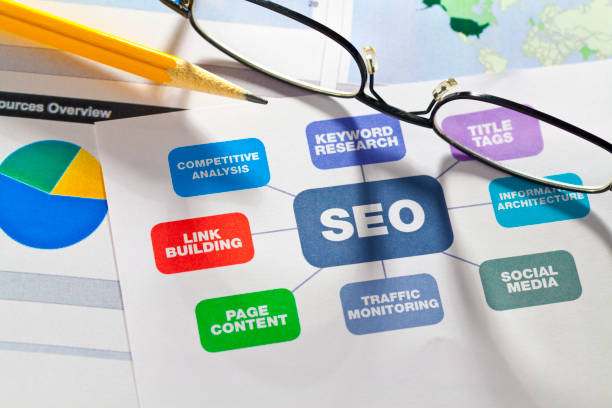
    Seo diagram with glasses and pencil.

    Get Professional SEO Support

    SEO can be time-consuming and technical. Professional guidance helps avoid mistakes and speeds up results with proven strategies.

    If you want expert help optimizing your website, you can connect with professionals here.

    Follow Trusted SEO Guidelines in India

    Ethical SEO practices are essential for long-term success. Google provides official documentation suitable for Indian businesses and global websites.

    Final Thoughts

    Understanding how to do SEO for a website involves technical optimization, quality content, smart linking, and continuous improvement. SEO is a long-term investment that rewards consistency and user-focused strategies.

    When done correctly, SEO helps your website grow organically, attract the right audience, and achieve sustainable online success.

  • What Is SEO Optimization? Complete Guide for Better Rankings

    What Is SEO Optimization? Complete Guide for Better Rankings

    What Is SEO Optimization and Why It Matters

    If you want your website to rank higher on search engines, understanding what is SEO optimization is essential. It is the process of improving your website so that search engines can easily find, understand, and rank your pages for relevant searches.

    Its focuses on both search engines and users. It ensures your site delivers valuable content while meeting technical and quality standards set by search engines.

    Understanding the Basics of SEO Optimization

    To clearly understand, it includes all actions taken to improve a website’s visibility in organic search results. These actions help search engines match your pages with the right user queries. Its is not a one-time task. It’s an ongoing process that adapts to algorithm updates, competition, and user behavior.

    How Search Engines Use Optimization

    Search engines analyze websites based on content quality, technical performance, and user experience. When your website is optimized correctly, search engines can rank it more confidently.

    This process forms the foundation practice.

    Key Components of SEO Optimization

    SEO optimization is made up of multiple elements that work together to improve rankings and performance.

    On-Page SEO Optimization

    On-page SEO focuses on optimizing individual web pages. This includes:

    • Page titles and meta descriptions

    • Headings (H1, H2, H3)

    • Content relevance and clarity

    • Internal linking

    Strong on-page optimization helps search engines understand page topics clearly.

    Technical SEO Optimization

    Technical SEO ensures your website functions smoothly. Important technical factors include:

    • Fast page loading speed

    • Mobile-friendly design

    • Secure HTTPS connection

    • Proper crawling and indexing

    These technical improvements play a major role.

    Content Optimization

    Content is the core of SEO. Optimized content answers user questions, provides value, and matches search intent. Well-structured content keeps users engaged and improves rankings over time.

    What Is SEO Optimization

    Role of User Experience in SEO Optimization

    Search engines pay close attention to how users interact with websites. A good user experience improves engagement signals such as time on site and bounce rate.

    User-friendly navigation, readable content, and fast performance all contribute to better optimization results.

    SEO Optimization and Business Growth

    One major reason to understand its impact on business growth helps attract users who are actively searching for your products or services.

    This leads to:

    • Higher-quality traffic

    • Better conversion rates

    • Long-term online visibility

    Unlike paid ads continues to deliver results over time.

    Importance of Consistency in SEO Optimization

    Its requires regular monitoring and updates. Search trends change, competitors improve, and algorithms evolve. Consistent optimization ensures your website stays relevant and competitive.

    Understanding also means knowing that patience and consistency are key to long-term success.

    Professional SEO Optimization Support

    Managing content, technical SEO, and performance tracking can be complex. Professional SEO support helps ensure best practices are followed and results are achieved faster.

    If you want expert help, you can connect with professionals here. 

    Trusted SEO Optimization Guidelines in India

    For ethical and effective, businesses should follow official search engine guidelines. Google provides detailed documentation suitable for Indian websites and global audiences.
    Final Thoughts

    Understanding helps businesses build a strong foundation for online success. By improving content quality, technical performance, and user experience, increases visibility and trust.

    When done correctly is a powerful long-term strategy that drives sustainable traffic, rankings, and business growth.

  • How Google SEO Works: Step-by-Step Search Ranking Guide

    How Google SEO Works: Step-by-Step Search Ranking Guide

    How Google SEO Works in Simple Terms

    Understanding how Google SEO works is essential for anyone who wants better visibility on Google. Google SEO is the process by which Google discovers, understands, and ranks web pages to deliver the most relevant results to users.

    Every time someone searches on Google, an automated system analyzes billions of pages in seconds. Google SEO ensures your website is eligible to appear in those results.

    How Google Finds and Understands Websites

    To fully grasp how Google SEO works, you need to understand the three main stages Google follows: crawling, indexing, and ranking. These steps decide whether your website appears in search results or not.

    Crawling: How Google Discovers Pages

    Google uses automated programs called crawlers or bots to scan the internet. These bots follow links from one page to another and discover new or updated content.

    If your website has clear navigation and proper internal links, Google can crawl it more efficiently. Crawling is the first technical step in how Google SEO works.

    Indexing: Storing and Understanding Content

    Once Google crawls a page, it tries to understand what the page is about. This process is called indexing. Google analyzes:

    • Page content and headings

    • Images and media

    • Page structure and code

    Only indexed pages can appear in search results, which is why indexing is a critical part of how Google SEO works.

    How Google Decides Rankings

    After indexing, Google evaluates pages to decide their position in search results. This is where ranking factors come into play.

    Relevance and Content Quality

    Google prioritizes content that best matches the user’s search intent. Pages that answer questions clearly, accurately, and in detail are more likely to rank higher.

    Content relevance is one of the strongest signals in how Google SEO works today.

    How Google SEO Works

    Website Experience and Performance

    Google favors websites that offer a good user experience. Important experience signals include:

    • Fast loading speed

    • Mobile-friendly design

    • Secure HTTPS connection

    • Easy navigation

    Websites that perform well on these factors tend to rank better over time.

    Role of Links and Authority

    Links from other websites act as trust signals. When reputable websites link to your content, Google sees your site as more credible and authoritative.

    Quality backlinks help Google understand that your content is valuable, which strengthens rankings and visibility.

    Why Consistency and Optimization Matter

    Google SEO is not a one-time activity. Search algorithms change, competitors improve, and user behavior evolves. Regular content updates, technical checks, and performance monitoring help maintain rankings.

    Understanding how Google SEO works also means knowing that long-term consistency leads to stable results.

    Google SEO for Businesses

    For businesses, Google SEO helps attract users who are actively searching for products or services. This leads to higher-quality traffic, better conversions, and long-term growth.

    If you want professional support to improve your Google search performance, you can connect with experts here.

    Trusted Google SEO Guidelines in India

    To follow ethical and effective practices, businesses should rely on official Google documentation. Google provides detailed SEO guidance suitable for Indian websites and global audiences.

    Final Thoughts

    Understanding how Google SEO works helps you align your website with Google’s expectations. From crawling and indexing to rankings and user experience, every step plays a role in search visibility.

    When you focus on quality content, technical health, and user satisfaction, Google SEO becomes a powerful tool for sustainable online success.

    Explore more related articles to deepen your understanding

    Best Fonts for Branding: Create a Lasting Visual Identity

    SEO Content Writing: A Complete Guide for BeginnersDoes Google use Cloudflare

    Content Writing Basics: A Beginner’s Guide to Effective Writing

    What Is Copywriting

  • What Is Google SEO? Complete Guide to Ranking on Google

    What Is Google SEO? Complete Guide to Ranking on Google

    What Is Google SEO and Why It Matters

    If your goal is to appear on Google search results, understanding what is Google SEO is essential. Google SEO refers to the process of optimizing a website so that it ranks higher on Google’s search engine for relevant queries.

    Google is the most widely used search engine, and most online journeys begin there. Optimizing your website according to Google’s guidelines helps attract organic traffic, build trust, and grow your business online.

    Understanding the Basics of Google SEO

    To clearly explain, it is the practice of improving your website’s content, structure, and technical performance so Google can easily find, understand, and rank your pages.

    Google SEO focuses on aligning your website with what Google considers valuable for users—relevance, quality, and usability.

    How Google Search Works

    Google uses automated bots to crawl websites and index their content. Once indexed, Google’s algorithm evaluates hundreds of ranking factors to decide which pages appear first.

    This process is the foundation and how rankings are determined.

    Key Elements of Google SEO

    Google SEO is not a single task. It includes multiple elements that work together to improve visibility and performance.

    Content Quality and Relevance

    High-quality content is at the core of Google SEO. Google prefers content that answers user questions clearly, accurately, and thoroughly.

    Well-structured content with clear headings and useful information improves engagement and rankings.

    Technical SEO and Website Performance

    Google favors websites that are fast, secure, and mobile-friendly. Technical SEO ensures:

    • Fast page loading speed

    • Mobile responsiveness

    • Secure HTTPS connection

    • Proper indexing and crawlability

    These factors directly influence how Google evaluates your website.

    Understanding these technical aspects is key to mastering SEO.

    What Is Google SEO

    On-Page Optimization for Google

    On-page SEO helps Google understand what each page is about. This includes optimizing titles, headings, meta descriptions, internal links, and images.

    Each page should focus on one main topic to avoid confusion and improve relevance.

    Role of Backlinks in Google SEO

    Backlinks act as signals of trust. When reputable websites link to your content, Google views your site as more authoritative.

    Quality matters more than quantity. Natural, relevant backlinks strengthen rankings and long-term visibility.

    This trust-building process is another important part of SEO.

    User Experience and Google Rankings

    Google closely tracks how users interact with websites. A positive user experience improves rankings over time.

    Good user experience includes:

    • Easy navigation

    • Clear content layout

    • Fast-loading pages

    • Mobile optimization

    Google’s focus on users explains why experience is central to SEO today.

    Why Businesses Need Google SEO

    Google SEO helps businesses reach users who are actively searching for their products or services. This leads to:

    • Higher-quality traffic

    • Better conversion rates

    • Long-term online visibility

    For businesses looking to grow organically, Google SEO is a powerful and cost-effective strategy.

    If you want expert help improving your Google search presence, you can connect with professionals here.

    Trusted Google SEO Guidelines in India

    To ensure ethical and effective optimization, businesses should follow official Google documentation. Google provides detailed SEO guidelines suitable for Indian websites and global audiences.

    Final Thoughts

    Understanding SEO helps businesses build a strong online presence where it matters most—on Google search. By focusing on quality content, technical performance, user experience, and trust,  drives sustainable growth.

    When done correctly is not just about rankings—it’s about delivering real value to users and achieving long-term success online.

    Explore more related articles to deepen your understanding

    Best Fonts for Branding: Create a Lasting Visual Identity

    SEO Content Writing: A Complete Guide for BeginnersDoes Google use Cloudflare

    Content Writing Basics: A Beginner’s Guide to Effective Writing

    What Is Copywriting

  • How Local SEO Works: A Complete Guide for Local Businesses

    How Local SEO Works: A Complete Guide for Local Businesses

    How Local SEO Works for Local Business Visibility

    If your business depends on customers from a specific location, understanding how local SEO works is essential. Local SEO is the process that helps search engines show your business to nearby users when they search for products or services in a particular area.

    When someone searches for a service “near me” or includes a city name, search engines use local SEO signals to decide which businesses appear in results.

    The Basics of Local Search Results

    To clearly understand how local SEO works, you need to know that search engines focus on three main factors: relevance, distance, and prominence. These signals help determine which local businesses best match a user’s search.

    Search engines aim to provide the most useful and accurate local results based on the searcher’s location.

    Relevance in Local SEO

    Relevance refers to how well your business matches the search query. This includes:

    • Business categories

    • Website content

    • Services listed online

    The more relevant your information is, the better your chances of appearing in local searches. This relevance factor is a key part of how local SEO works.

    Role of Distance and Location Signals

    Distance plays a major role in local search results. Search engines calculate how close your business is to the user’s location or the location mentioned in the search query.

    Location signals come from:

    • Business address

    • Google Maps data

    • Local listings

    These signals help search engines deliver accurate local results.

    Importance of Business Listings

    One of the most important elements in understanding how local SEO works is business listings. A complete and accurate Google Business Profile helps your business appear in local packs and map results.

    What Makes a Strong Business Profile

    A well-optimized profile includes:

    • Correct name, address, and phone number

    • Business hours and services

    • Photos and updates

    • Customer reviews

    These details help search engines trust your business information.

    How Local SEO Works

    Reviews and Prominence in Local SEO

    Prominence refers to how well-known and trusted your business is online. Reviews, ratings, and mentions across the web increase your authority.

    Positive reviews not only influence customers but also impact local rankings. This trust-building process explains another layer of how local SEO works in real-world searches.

    Website Optimization for Local SEO

    Your website supports local SEO by reinforcing location signals. Local pages, service-area content, and clear contact details help search engines connect your site to your physical location.

    Internal linking between relevant pages also strengthens local relevance and user experience.

    If you want professional help optimizing your website for local search, you can connect with experts here.

    Local SEO and Mobile Searches

    Most local searches happen on mobile devices. Search engines prioritize businesses that offer fast-loading, mobile-friendly websites and accurate local information.

    This mobile-first behavior is a major reason how local SEO works so effectively for nearby customer searches.

    Why Consistency Matters in Local SEO

    Consistency across online platforms is critical. Your business name, address, and phone number should match everywhere they appear. Inconsistent information can confuse search engines and reduce visibility.

    Maintaining consistency strengthens trust and improves local rankings over time.

    Trusted Local SEO Guidelines in India

    To ensure ethical optimization, businesses should follow official search engine guidance. Google provides detailed documentation suitable for Indian businesses targeting local audiences.

    Final Thoughts

    Understanding how local SEO works helps businesses attract nearby customers at the exact moment they are searching. By focusing on relevance, location, reviews, and accurate listings, local SEO connects your business with high-intent local users.

    For businesses serving specific areas, local SEO is a powerful strategy that drives visibility, trust, and long-term local growth.

  • Why Local SEO Matters for Small and Growing Businesses

    Why Local SEO Matters for Small and Growing Businesses

    Why Local SEO Matters for Modern Businesses

    In today’s competitive digital landscape, customers often search online before visiting a store or calling a service. This is exactly why local SEO matters for businesses that depend on nearby customers. Local SEO helps your business appear in location-based searches and connects you with people who are ready to take action.

    When users search for services “near me” or within a city, local SEO determines which businesses show up first.

    How Local Search Behavior Has Changed

    To understand why local SEO matters, it’s important to look at how people search today. Mobile usage has increased significantly, and most local searches happen on smartphones. Users want quick, accurate results related to their location.

    Local SEO ensures your business appears at the right moment—when potential customers are actively searching nearby.

    High-Intent Local Searches

    Local searches usually come with strong intent. People searching locally often want to:

    • Call a business

    • Visit a store

    • Book an appointment

    This high intent is a key reason why local SEO matters more than many traditional marketing methods.

    Increased Visibility in Local Results

    Local SEO improves your presence in Google Maps and local listings. Appearing in these results makes your business more visible to nearby users who may not know about you yet.

    Competing With Larger Brands Locally

    Even small businesses can compete with big brands at the local level. Local SEO levels the playing field by prioritizing relevance and proximity over brand size.

    This advantage clearly shows why local SEO matters for small and medium-sized businesses.

    Why Local SEO Matters

    Building Trust Through Reviews and Listings

    Trust plays a major role in local purchasing decisions. Local SEO encourages customers to leave reviews and helps showcase your reputation online.

    Positive reviews and accurate business information increase credibility and influence customer choices. Search engines also use these signals to rank businesses locally.

    Driving More Store Visits and Calls

    One of the strongest reasons why local SEO matters is its ability to drive real-world actions. Local SEO doesn’t just increase website traffic—it increases phone calls, directions requests, and walk-ins.

    This makes it especially valuable for service-based and location-dependent businesses.

    Cost-Effective Marketing for Local Growth

    Compared to paid ads, local SEO is cost-effective and long-lasting. Once your local presence is optimized, it continues to bring in customers without ongoing advertising costs.

    This long-term value further explains why local SEO matters for businesses focused on sustainable growth.

    Importance of Professional Local SEO Support

    Managing local listings, reviews, and website optimization requires consistency and expertise. Professional support helps avoid errors and ensures your local SEO strategy follows best practices.

    If you want to improve your local visibility and attract nearby customers, you can connect with experts here.

    Trusted Local SEO Guidelines in India

    Following official guidelines is essential for ethical and effective optimization. Google provides detailed documentation suitable for Indian businesses targeting local audiences.

    Final Thoughts

    Understanding why local SEO matters can transform how your business attracts customers. By improving local visibility, building trust, and driving high-intent traffic, local SEO helps businesses grow where it matters most—within their community.

    For any business serving a specific area, local SEO is not optional. It’s a powerful strategy for long-term success and consistent local growth.